
Live Chat Support
Get real time help using our HelpDesk
Need help using our platform?
Get real-time assistance via our HelpDesk from Monday - Friday: 8:00AM to 5:00PM.
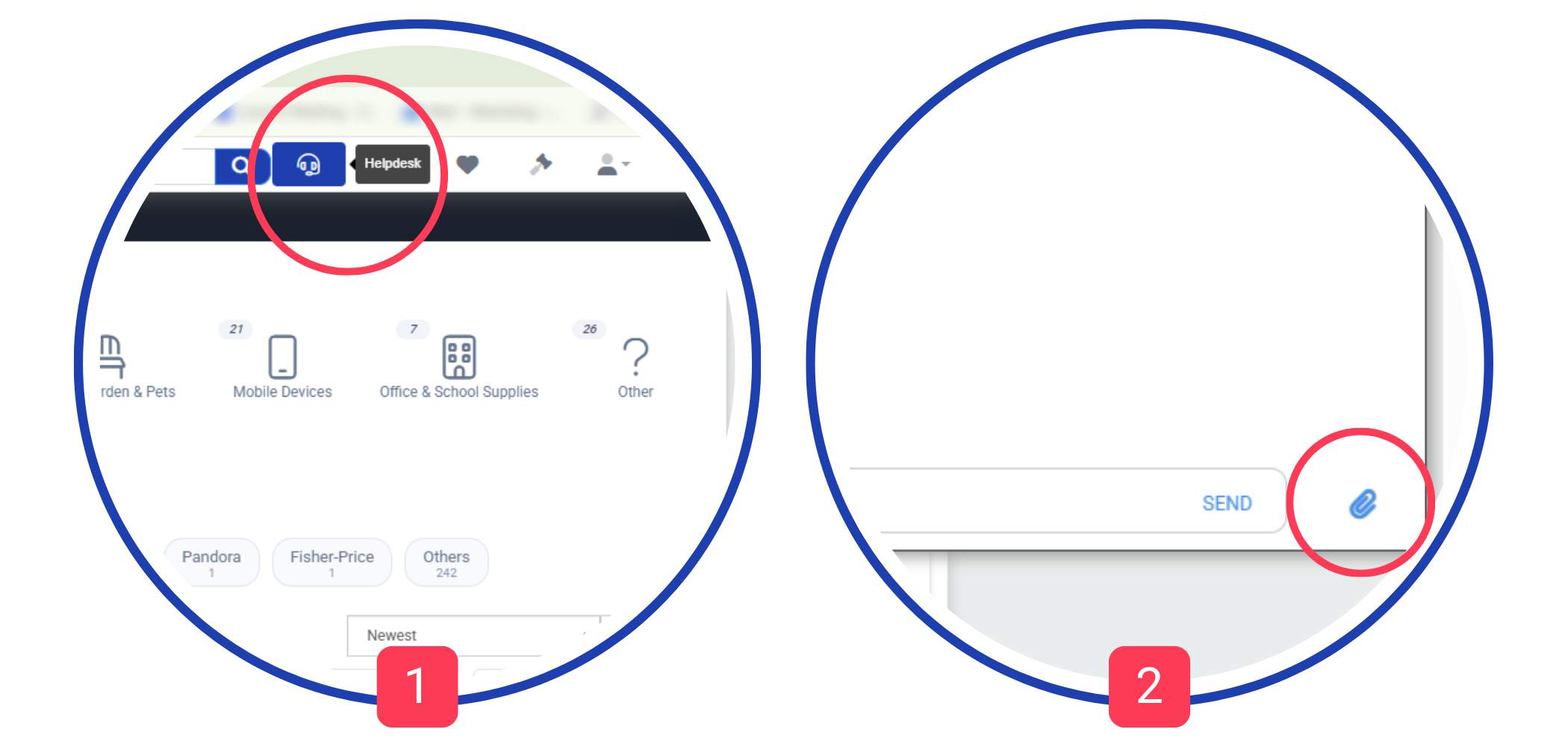
Click the HelpDesk button [1] to ask your question.
You can also upload a file or screenshot to our customer support using the paper clip button [2] — securely accessible only to you and our support team.
Get real-time assistance via our HelpDesk from Monday - Friday: 8:00AM to 5:00PM.
Click the HelpDesk button [1] to ask your question.
You can also upload a file or screenshot to our customer support using the paper clip button [2] — securely accessible only to you and our support team.
New Inventory Photofeed
See the inventory and purchase with confidence
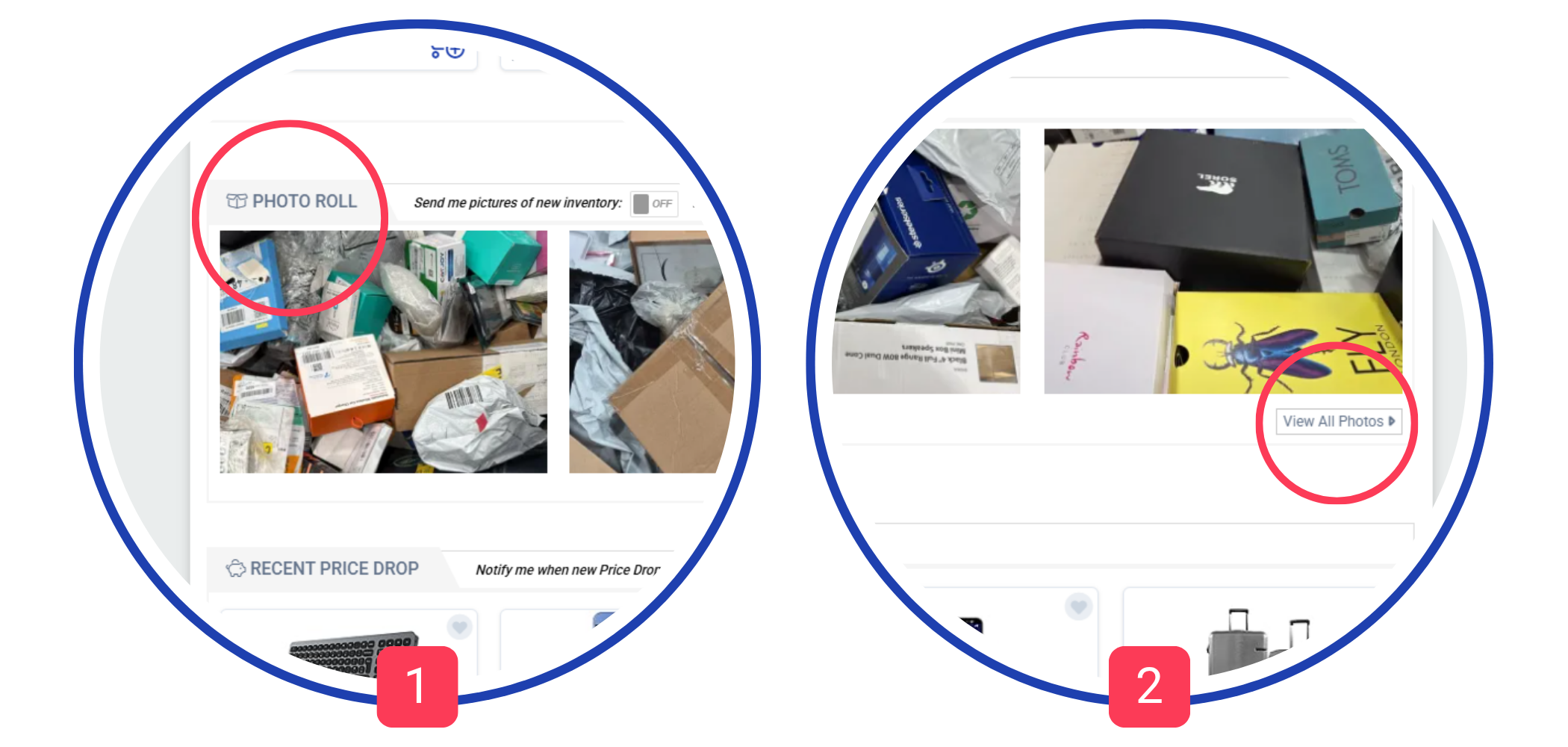
Visit our homepage and explore the Photo Roll [1].
Click View All [2] to open the full gallery.
Subscribe to the photofeed email to get updates as soon as new products are added.
Click View All [2] to open the full gallery.
Subscribe to the photofeed email to get updates as soon as new products are added.
Tag Your Favourites
Easily add items or lots to your Watch List with a click
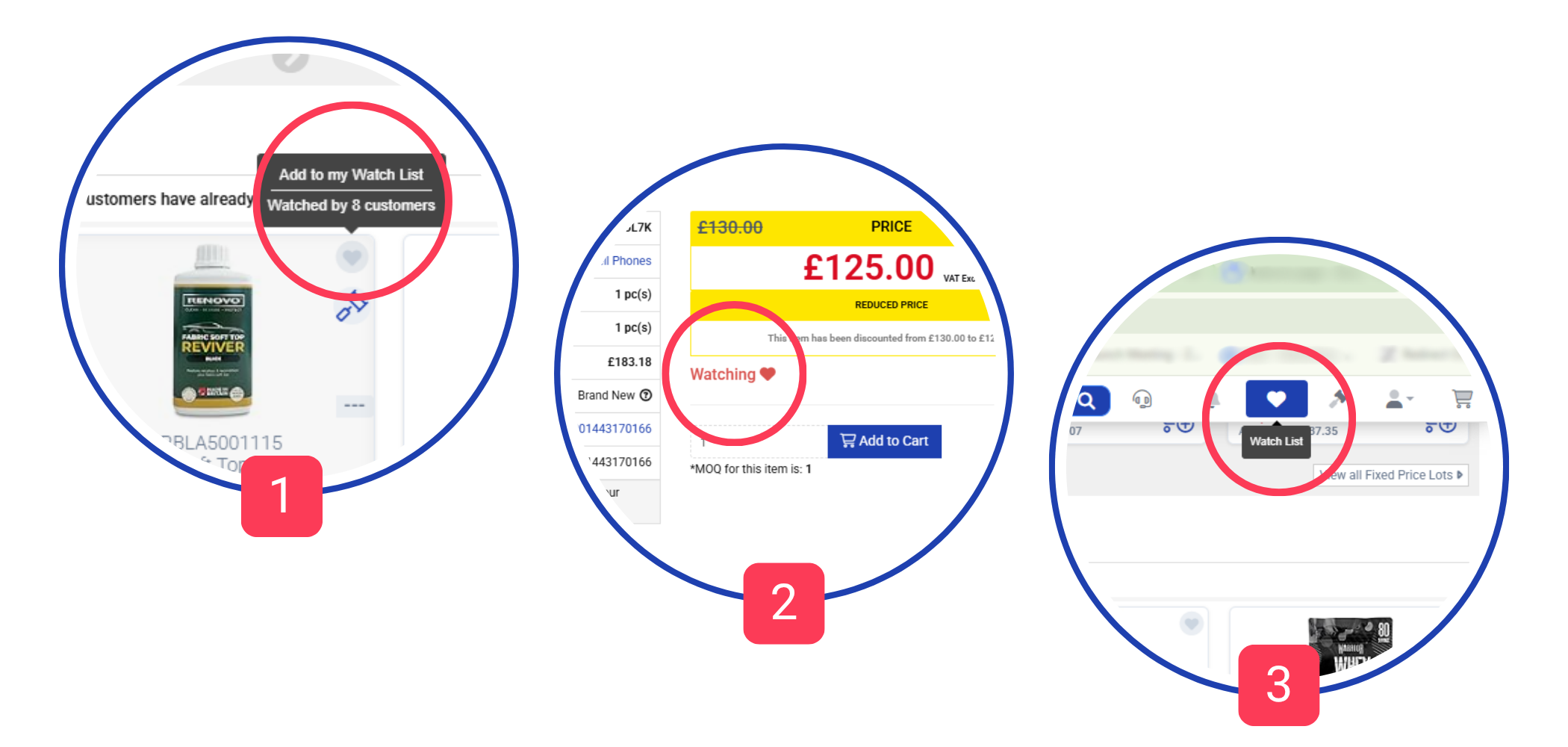
We let you know how many other customers are watching this same listing. [1]
Track price changes and availability over time [2], filtering your watchlist by type and condition.
You can also subscribe for email notifications about your Watched inventory. [3]
This way you'll get personalized email notifications about price drops and restocks.
Track price changes and availability over time [2], filtering your watchlist by type and condition.
You can also subscribe for email notifications about your Watched inventory. [3]
This way you'll get personalized email notifications about price drops and restocks.
Name Your Price
Enter the price you are willing to pay. If your offer is reasonable we will be glad to accept it.
How it works?
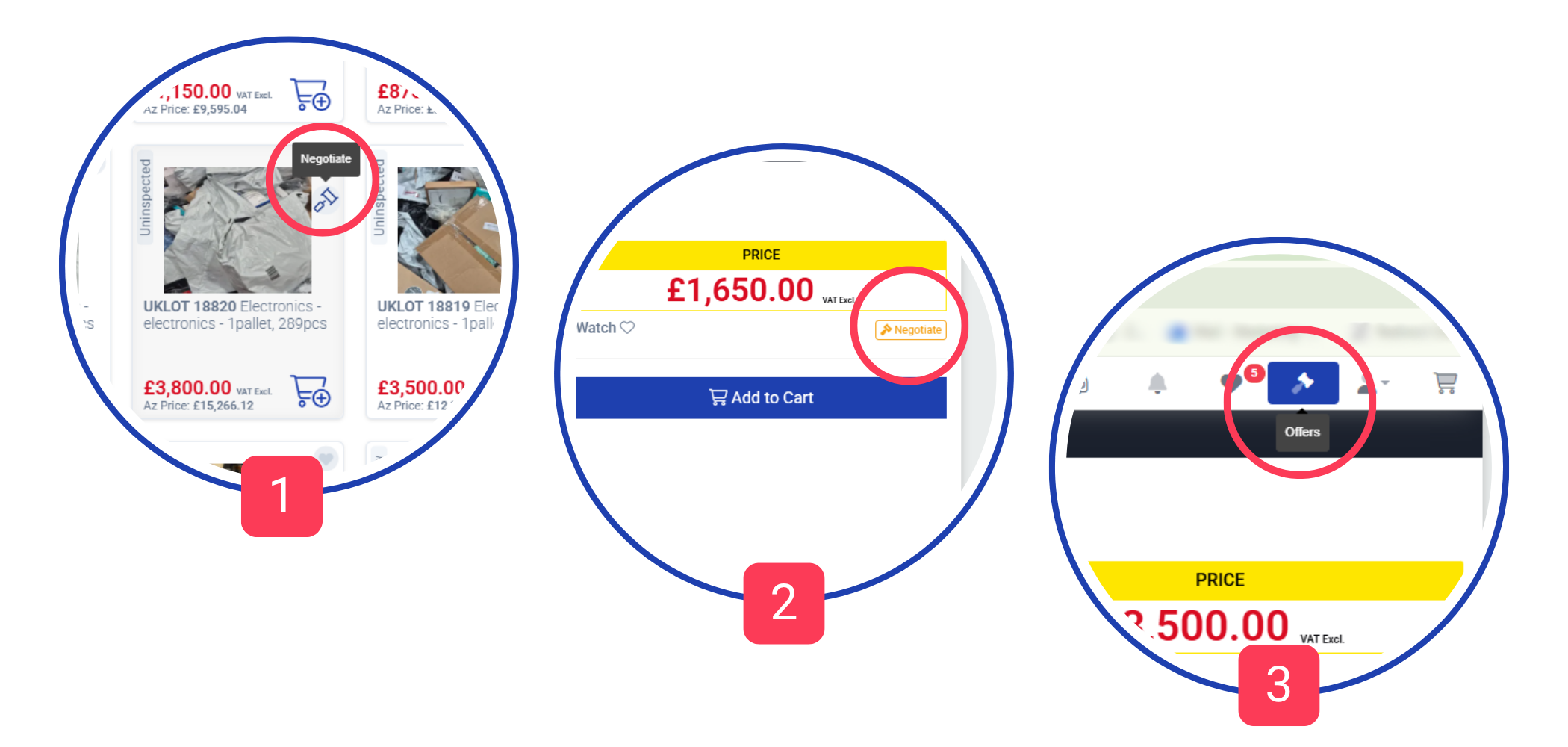
Step 1: Move your mouse over the item and click on the negotiate button on the top right [1] or under the price on the item page [2].
Step 2: Enter your target price in the field and send it to us.
You'll get a response ASAP. [3]
Step 1: Move your mouse over the item and click on the negotiate button on the top right [1] or under the price on the item page [2].
Step 2: Enter your target price in the field and send it to us.
You'll get a response ASAP. [3]
Export listings
Want to make informed buying decisions? We help you even further.
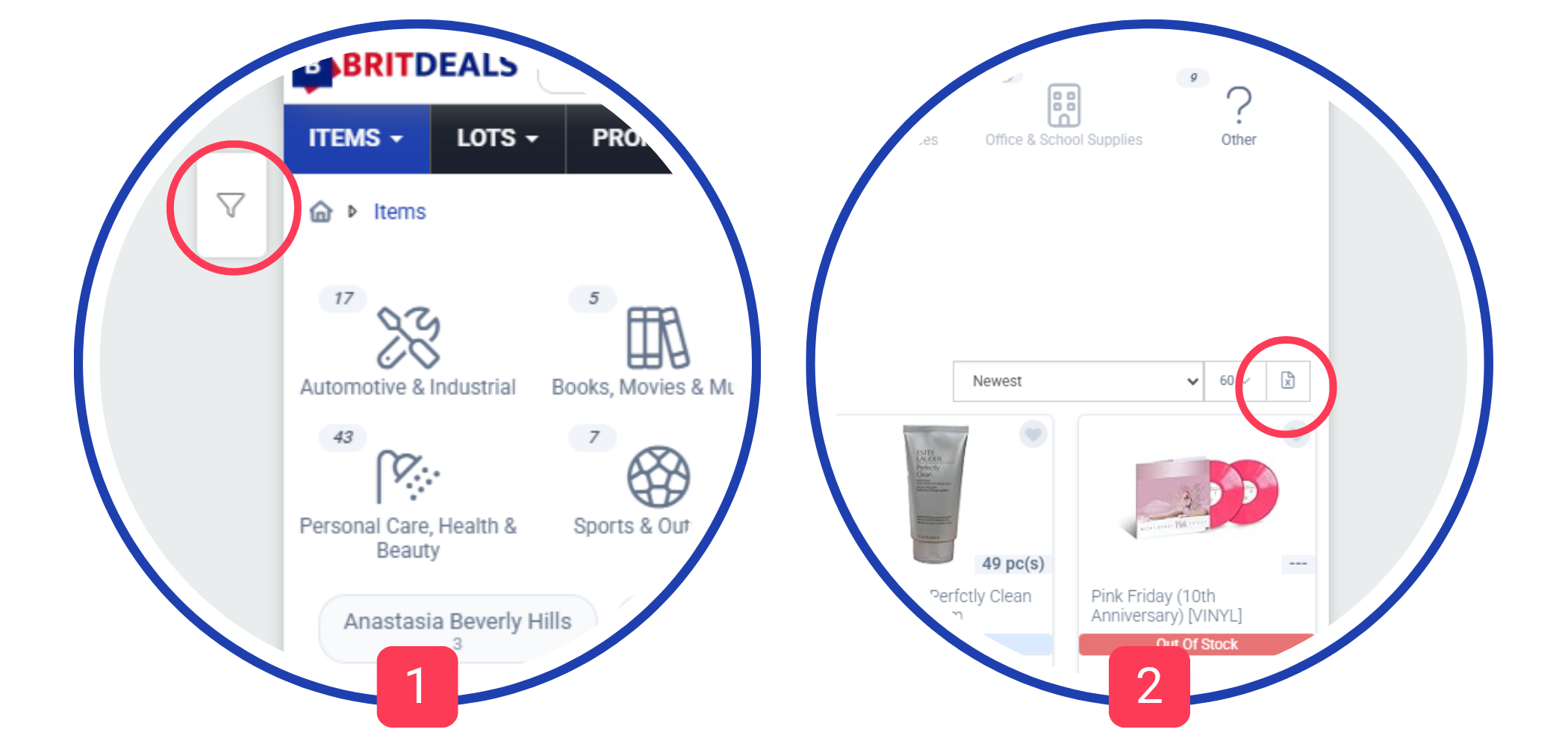
You can filter items from different categories by brands, special deals, condition, price, and quantity. [1]
Once you do, you can export them in a table. To do so, just click the button [2] on the top right over the items and the file will be downloaded on your device.
Once you do, you can export them in a table. To do so, just click the button [2] on the top right over the items and the file will be downloaded on your device.
Scan Your Deliveries
Tired of unpacking and counting? This is the solution
To scan your deliveries, connect a scanner gun to your PC, click on button [1] and start scanning your packages.
Once you do a successful scan, you'll see what's inside the box, some additional details and link to the related order [2].
The scan will be saved to your account and you'll see this information on the related order page.
This way you can easily track and organize your deliveries.
Once you do a successful scan, you'll see what's inside the box, some additional details and link to the related order [2].
The scan will be saved to your account and you'll see this information on the related order page.
This way you can easily track and organize your deliveries.
Check Your Scans
Did you receive the entire order? Now you can easily check it
When you scan a tracking number, this event is saved to our database.
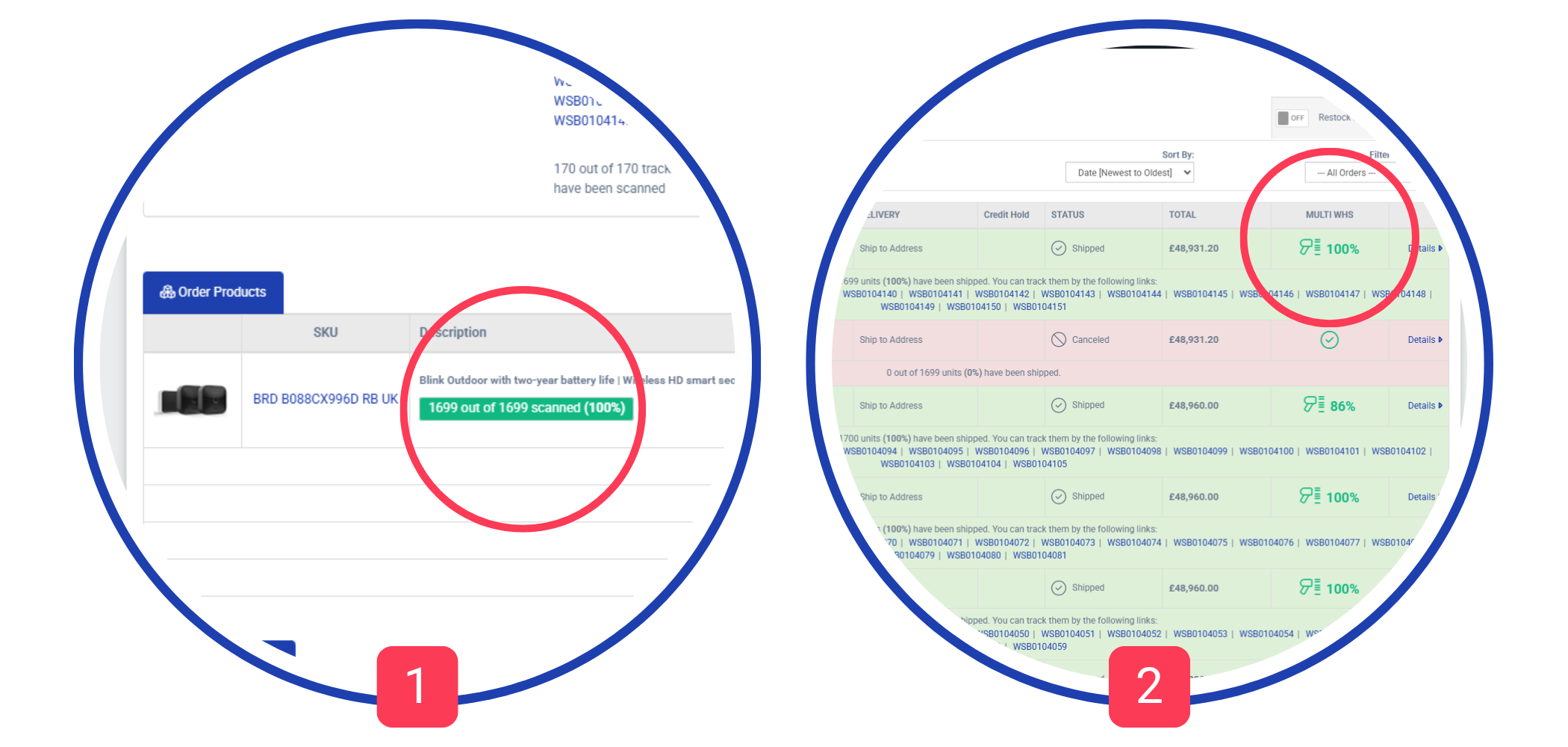
This will give you an information about the scanned inventory percentage of each order, available on both - Orders Listing and Order Details pages.
Moreover, you can check the scanned percentage of each item in your order.
This data is added in the detailed tracking information, too.
That will inform you if you have to expect more deliveries to a related order or not.
The only required thing on your side is to scan the packages once you receive them.
This will give you an information about the scanned inventory percentage of each order, available on both - Orders Listing and Order Details pages.
Moreover, you can check the scanned percentage of each item in your order.
This data is added in the detailed tracking information, too.
That will inform you if you have to expect more deliveries to a related order or not.
The only required thing on your side is to scan the packages once you receive them.
Stay up to date
Never miss a good deal! Customize your notifications
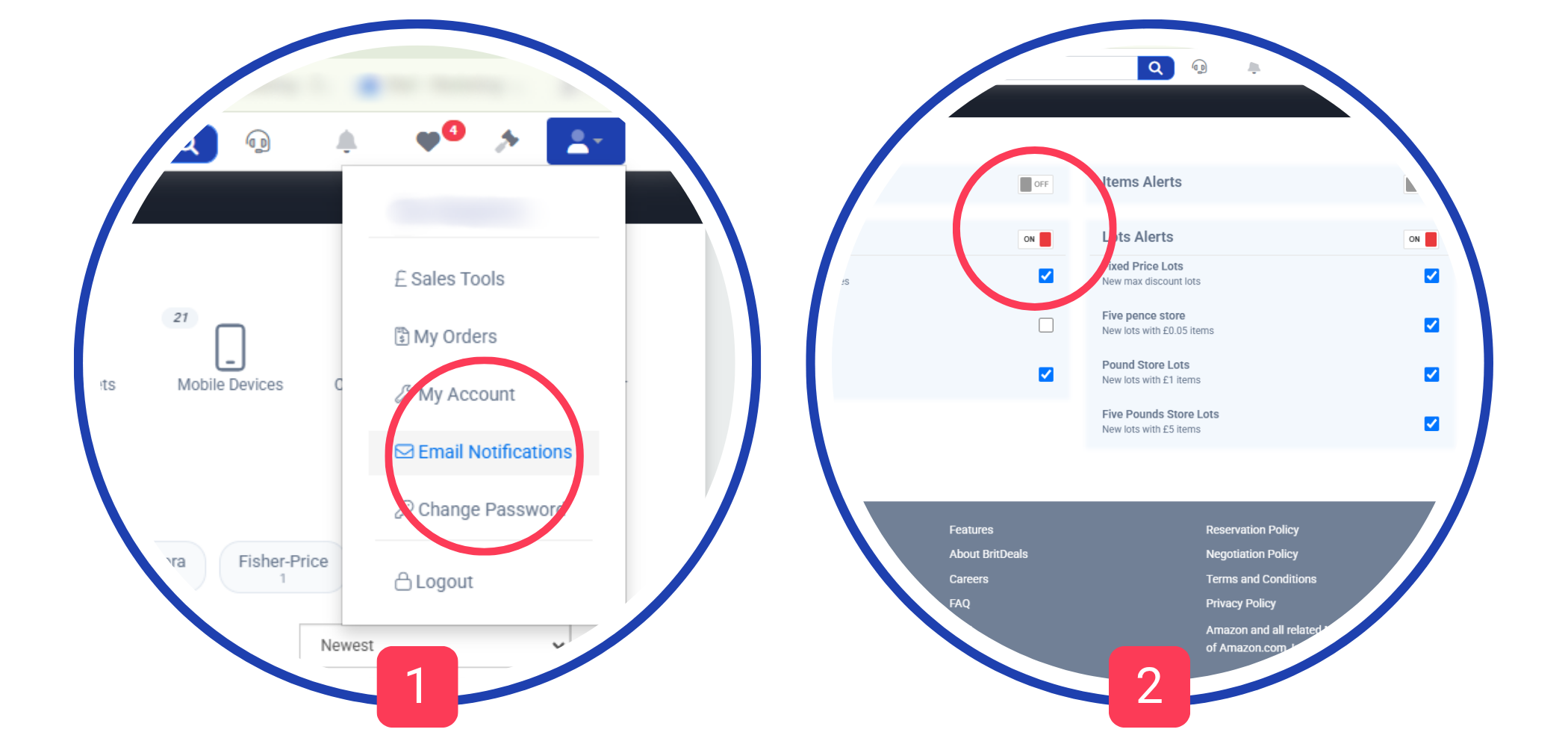
Customize your alerts in the Email Notifications section [1].
Subscribe only to the updates that matter to you.
You can change your preferences or unsubscribe at any time [2].
Subscribe only to the updates that matter to you.
You can change your preferences or unsubscribe at any time [2].